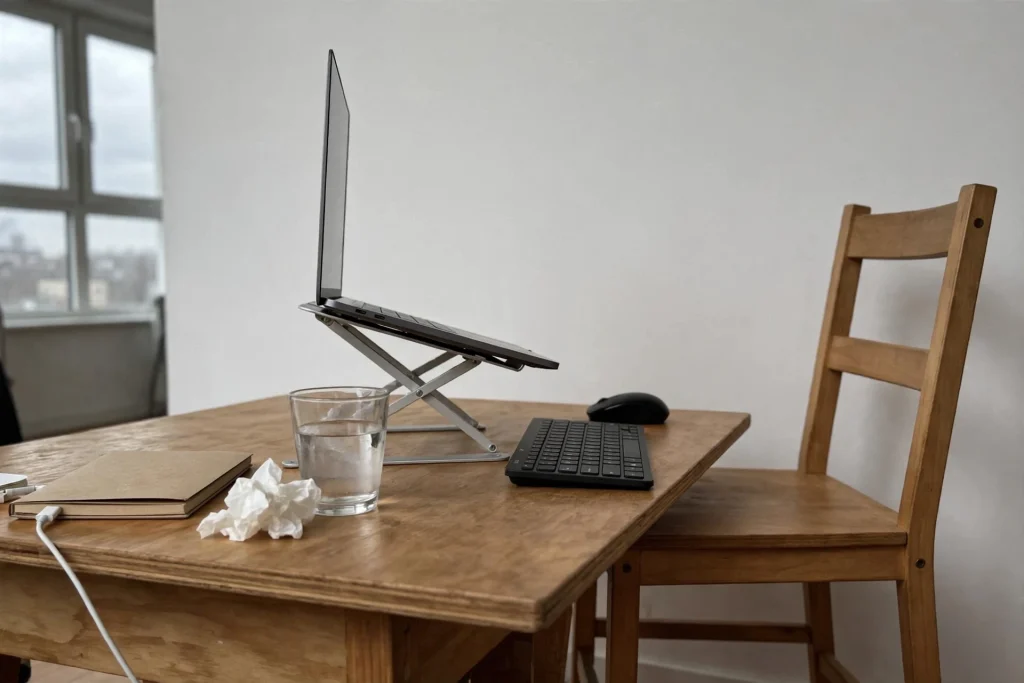
The most useful ergonomic gear for a traveling remote worker is whatever lifts your laptop screen to eye level, paired with a separate keyboard and mouse. A laptop forces a trade-off: with the screen at a good height the keyboard is too high, and with the keyboard at a good height the screen is too low and your neck bends forward. Splitting them solves it. You cannot carry a desk or a chair, so everything else comes down to choosing your workspace well and changing position often.
This guide covers the setup targets from workplace safety guidance, a small kit that fits in your bag, what to check when you rent a place, and what the evidence says about standing desks and blue-light glasses.
The setup targets
The US Occupational Safety and Health Administration (OSHA) publishes the most practical reference for computer workstations. It stresses that no single posture fits everyone, but it sets clear goals to aim for:
| Body part | What to aim for | What helps |
|---|---|---|
| Screen height | Top of the screen at or slightly below eye level. A screen that is too high makes you tilt your head back, which tires the neck and shoulders | Laptop stand, or a stack of books or a box |
| Screen distance | About 50 to 100 cm (20 to 40 inches) from your eyes, close enough to read comfortably while sitting upright | External keyboard, so you can sit back from a raised screen |
| Keyboard and mouse | Directly in front of you, elbows close to your body and bent between about 90 and 120 degrees, forearms roughly parallel to the floor, wrists straight | Separate keyboard and mouse |
| Back and feet | Back supported, feet flat on the floor or on a footrest | Chair choice, a rolled towel for your lower back, a backpack under your feet |
| Light | Screen at right angles to windows to reduce glare | Turning the table, closing a blind |
OSHA adds that these goals apply whether you sit or stand: keep your torso close to vertical, within roughly 20 to 30 degrees, and keep your elbows in close rather than reaching to the sides or above your head.
Why a laptop flat on the table is the problem

With a laptop flat on a café table, your screen sits well below eye level, so your head drops forward and your shoulders round. OSHA notes that people at a computer can stay in nearly the same posture for a whole shift, which makes a few muscles do all the work of holding your head up and focusing your eyes. That is why the fix is not one perfect posture but a setup that lets you sit neutrally and move often.
A minimal ergonomic kit for your bag
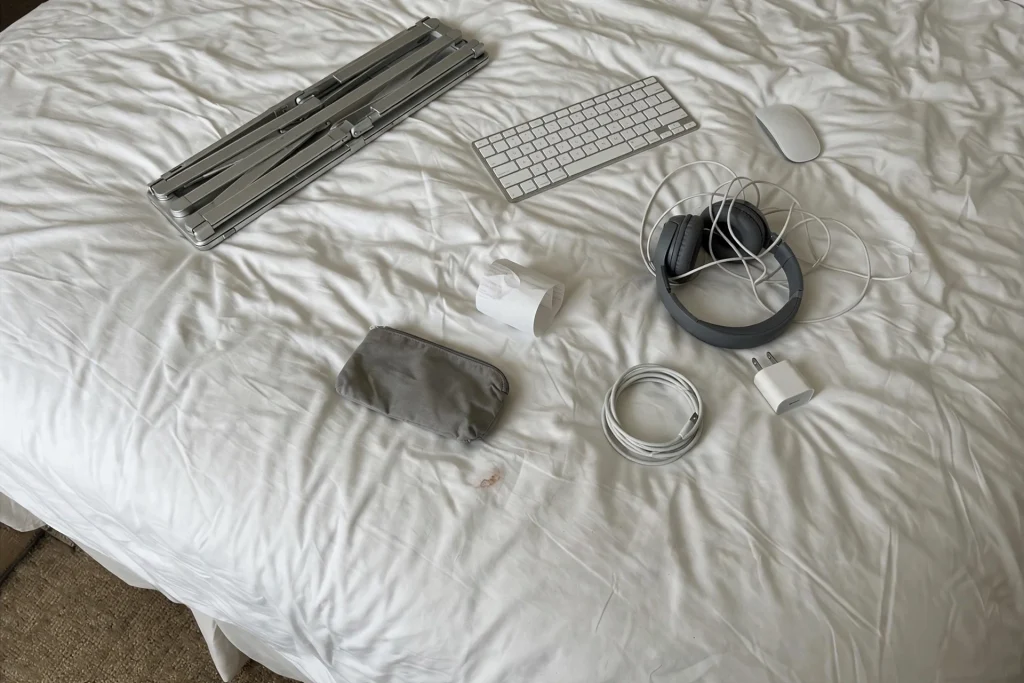
Four items cover most of what you need. We do not name specific models here because they change quickly and the right choice depends on your laptop, hand size and budget. Compare current specifications and independent reviews before you buy.
1. A folding laptop stand
This is the item that matters most. Check that it reaches a height that puts the top of your screen at eye level when you sit at a typical table, that it is stable when raised, and how small and light it is when folded. Once your laptop is raised, its own keyboard and trackpad are out of comfortable reach, so you need the next two items too.
2. A compact wireless keyboard
Look for a low profile, Bluetooth pairing (ideally with more than one device), a rechargeable battery and a layout that matches the language you type in. Very small keyboards drop keys, so make sure you are happy with the layout before you commit.
3. A small, comfortable mouse
Choose one that fits your hand so your wrist stays straight, with quiet clicks for shared spaces. A separate mouse lets you keep your forearm in a neutral position, which is difficult with a trackpad on a raised laptop.
4. Headphones with a good microphone
Not strictly ergonomic, but noise is one of the biggest problems in cafés, coworking spaces and thin-walled rentals. Prioritize call quality, comfort for long wear and a wired backup option.
Optional extras
- Portable monitor. Gives you a second screen at eye level for long days at a fixed base. Check its weight, whether your laptop can power it, and the cable type.
- Lower-back support. A rolled towel or a small cushion does the job for free.
- A footrest substitute. If your feet do not reach the floor at the right table height, a backpack or a box works.
- A multi-port charger. One plug for everything means fewer awkward reaches under the table.
For the rest of your bag, see our digital nomad packing list.
Choose a rental with your back in mind
Because you cannot bring a chair, the place you rent matters as much as the gear you carry. Before you book, ask the host for photos of the desk and chair, and look for:
- A real table and a chair with a back, not a sofa or a bed.
- A table height that lets your elbows sit near 90 degrees when your feet are on the floor.
- Daylight from the side of your screen, not directly behind or in front of it.
- A quiet spot for calls, and an internet speed test screenshot from the host.
Monthly rentals make it easier to get this right and to negotiate a better desk if the first one is poor; see our slow travel guide and guide to traveling full-time on a budget.
Protecting your eyes
Long hours at a screen commonly cause digital eye strain: tired, dry or aching eyes and sometimes headaches. The American Academy of Ophthalmology says eye strain does not cause lasting damage and is easily preventable with regular breaks. Its suggestion is the 20-20-20 rule: every 20 minutes, look at something at least 20 feet (about 6 meters) away for at least 20 seconds. OSHA also notes that people tend to blink less when looking at a screen, so make a point of blinking fully.
Are blue-light glasses worth buying?
Probably not. The American Academy of Ophthalmology says there is no scientific evidence that blue light from screens damages the eyes, and it does not recommend special blue-light eyewear for computer use because studies suggest the glasses do not improve eye strain symptoms. Spend the money on a laptop stand instead. If your eyes are regularly uncomfortable, an eye test can check whether your prescription suits the distance to your screen.
Standing desk or sitting desk?
The best evidence comes from a Cochrane review of workplace interventions. It found that sit-stand desks reduced sitting time at work by about 100 minutes per workday in the short term, up to three months, but the quality of the evidence was low. The health benefits of standing more are still unproven. So a standing desk helps you sit less, but there is no strong proof that it fixes the health effects of a sedentary job on its own.
For nomads the practical question is different, because you will not carry a standing desk. These options cost little or nothing:
- Work for some blocks at a kitchen counter or a high café table, using your stand and keyboard so the screen is at eye level and your elbows are near 90 degrees.
- Take calls on foot when you do not need your screen.
- If you consider a portable desk riser, check its stability and weight first. A wobbly setup is worse than a stable table.
Standing for long stretches is tiring too, so the aim is variety: sit, stand, walk, repeat. For movement ideas and a short mobility routine, see how to stay fit while traveling and our roundup of yoga and meditation apps, and for schedules that build in breaks, work-life balance as a digital nomad.
When to see a doctor
A better setup helps with everyday aches, but it does not treat an injury. See a doctor or physiotherapist if you have pain that does not improve after a couple of weeks of changes, numbness or tingling in your hands or arms, or pain that wakes you at night. Check what your travel insurance covers for outpatient care before you need it.
Frequently asked questions
What is the most important ergonomic gear for a laptop?
A laptop stand that raises the screen to eye level, used with a separate keyboard and mouse. Together they let you keep your head upright and your wrists straight, which is the core of good laptop ergonomics.
Do I need a standing desk as a digital nomad?
No. Standing desks reduce sitting time, but the evidence for health benefits is weak and they are impractical to carry. Mixing seated work with a counter or high table, plus regular walking, does the same job for free.
Do blue-light glasses reduce eye strain?
The American Academy of Ophthalmology does not recommend them, because studies suggest they do not improve eye strain symptoms. Regular breaks, blinking and a well-positioned screen are more effective.
Last reviewed: September 2026. This article is general information, not medical advice. If you have pain, numbness or a health condition, speak to a qualified professional.